

A free redirect service target url in path no query parameter setup can help website owners direct visitors to a specific destination without carrying unwanted query parameters into the final URL. This is useful when you move a webpage, create a short link, update a campaign URL, or organize website addresses.
For example, you might want to redirect https://example.com/old-page?source=email to https://example.com/new-page. The goal is to send visitors to the new page without adding ?source=email to the destination.
However, not every redirect service automatically removes query parameters. Some preserve them, while others allow you to control whether they are forwarded. Therefore, you need to select the right configuration and test the final result before publishing your redirect.
This guide explains how redirects work, how to choose a suitable service, and how to create and test redirects using online tools, PHP, JavaScript, and Java. It also covers common errors, security considerations, and SEO best practices.
What Is a Free Redirect Service Target URL in Path No Query Parameter?
The term free redirect service target url in path no query parameter describes a redirect configuration in which a source address sends a visitor to a specified destination path without unwanted query-string values in the final URL.
Consider this example:
- Source URL:
https://example.com/old-products?category=shoes - Target URL:
https://example.com/products - Expected destination:
https://example.com/products
In this example, /products is the destination path. The original query string, ?category=shoes, is not included in the final address.
A URL path identifies a resource on a website, while query parameters can provide extra information, such as search filters, campaign tracking values, or sorting preferences. Removing them is appropriate only when the destination does not need that information.
Understanding URL Paths and Query Parameters

A URL can contain a scheme, hostname, path, query string, and fragment. For example, in https://example.com/blog/seo?source=newsletter#tips, the path is /blog/seo, the query string is ?source=newsletter, and the fragment is #tips.
When configuring a free redirect service target url in path no query parameter, make sure you understand which parts of the original URL should be retained. If the destination needs only the path, configure the redirect to send visitors to that path without unnecessary query values.
Query parameters are not always unwanted. An online store may need a parameter to display a particular product, and an analytics platform may use campaign parameters to measure visits. Removing a required parameter could change the page’s behavior.
Before setting up a redirect, identify the purpose of each parameter. Keep the values the destination requires and remove only those that are genuinely unnecessary.
Why Use a Clean URL Redirect?
A free redirect service target url in path no query parameter configuration can make destination URLs easier to manage when the original query string is no longer relevant.
Clean URLs can be easier to share, especially when the source address contains lengthy tracking values. They can also help website owners manage old URLs after a redesign or content migration.
For example, a business might move an article from /old-guides/seo-basics to /resources/seo-basics. A redirect can send visitors to the updated page without carrying irrelevant campaign parameters into the destination.
Nevertheless, clean URLs are not automatically better in every situation. If your analytics or application relies on specific query values, decide how those values should be handled before removing them.
7 Powerful Tips for Clean URL Redirects
1. Define the Exact Target URL
When setting up a free redirect service target url in path no query parameter, enter the complete destination address you want visitors to reach.
For example, use https://example.com/services/seo if that is the intended destination. Do not rely on the service to guess the correct page or automatically remove unwanted parameters.
Check the protocol, domain, and path before saving the rule. A small typing mistake can send visitors to an incorrect page or an error screen.
2. Select the Appropriate Redirect Status Code
A free redirect service target url in path no query parameter setup should use a redirect status code that matches the purpose of the move.
A 301 redirect is commonly used for a permanent move, while a 302 redirect generally indicates a temporary move. Other codes, including 307 and 308, have different request-handling semantics. Learn more about 302 redirect and PageRank passing to better understand how temporary redirects relate to SEO.
Choose the code based on the actual situation rather than using the same option for every redirect. For more information, consult the MDN HTTP status code reference.
3. Check Query-String Forwarding
A free redirect service target url in path no query parameter configuration will work as intended only if the redirect behavior matches your requirements.
Suppose the source URL is https://short.example/offer?ref=partner. You want the destination to be https://shop.example.com/sale, not https://shop.example.com/sale?ref=partner.
Check the service’s documentation for settings related to query-string forwarding or parameter preservation. If the service automatically appends parameters, you may need to change the configuration or choose a different solution.
4. Use a Relevant Destination Path
A free redirect service target url in path no query parameter should send visitors to a page that matches their original intent.
For example, redirect an old product page to the updated product page rather than sending every visitor to the homepage. A clear website URL structure and architecture helps organize pages and maintain relevant destination paths. Relevant destinations provide a more consistent experience and make redirects easier to manage.
Before publishing the rule, open the target URL directly and confirm that it loads the expected content.
5. Test the Redirect Before Publishing
Testing a free redirect service target url in path no query parameter setup helps confirm that the browser receives the correct destination.
Test the source URL both with and without a harmless query parameter. Then inspect the destination address, HTTP status, and response headers. If unwanted parameters appear, review the service settings or application code.
Tools such as curl and browser developer tools can help you examine redirect responses.
6. Use Trusted Destinations
A free redirect service target url in path no query parameter should use a destination you trust and intend visitors to open.
Avoid redirect endpoints that accept arbitrary destination URLs from untrusted users. Such configurations can create an open redirect, allowing a legitimate-looking link to send people to an unrelated website.
For your own applications, use fixed destinations or validate destinations against an allowlist of approved URLs or domains.
7. Review Redirects Regularly
Review your free redirect service target url in path no query parameter rules after website migrations, URL changes, and campaign updates.
Keep a record of the source URL, destination, status code, purpose, and last-tested date. Remove outdated rules and avoid redirect chains where one URL redirects to another that redirects again.
Whenever possible, update internal links to point directly to the final destination.
How to Redirect a URL to Another URL Online

A free redirect service target url in path no query parameter can often be configured through a hosted dashboard without writing code.
The general process is straightforward:
- Choose a redirect provider that supports your requirements.
- Add the source URL or connect a domain you control.
- Enter the complete destination URL.
- Select the appropriate redirect status code.
- Review the query-string forwarding settings.
- Save the rule and test the final destination.
Some services provide a temporary link under their own domain, while others require a custom domain and DNS configuration. Review the provider’s documentation before choosing a setup.
If you want to redirect a URL to another URL online, do not assume that all services handle query parameters in the same way. Confirm that the destination remains clean when the source contains extra parameters.
Free URL Redirect Service
A free redirect service target url in path no query parameter solution should be selected based on its actual features rather than its price alone.
Check whether the service supports custom domains, HTTPS, the required redirect codes, query-string controls, and redirect testing. You should also review traffic limits, analytics options, and any restrictions on free accounts.
For example, redirect.pizza offers hosted redirect functionality. Review its current documentation and plan details to confirm whether its available features suit your needs.
A hosted service may be convenient for small projects, campaign links, or users who do not manage a server. However, if you need precise control over request handling, a server-side implementation may be a better choice.
Free Redirect Service Target URL in Path No Query Parameter PHP
PHP lets you redirect visitors by sending an HTTP response containing a Location header. This is useful when you control the website’s server and want to specify the destination directly.
For a free redirect service target url in path no query parameter implementation in PHP, you can use a fixed target URL without adding the incoming query string:
<?php
header(
    'Location: https://example.com/resources/guide',
    true,
    302
);
exit;
?>
The destination is explicitly specified and does not include the original query parameters. The exit statement prevents the script from continuing after the redirect response.
Call header() before sending output to the browser. If the page has permanently moved, select an appropriate permanent status code instead of 302.
Read the official PHP documentation for header for more details. Avoid placing arbitrary, unvalidated user input into a redirect destination because it can create security problems.
Free Redirect Service Target URL in Path No Query Parameter JavaScript
JavaScript can change the browser’s location to a destination URL. It can be useful for certain client-side navigation tasks, although server-side redirects are generally preferable for permanent URL changes and SEO-sensitive migrations.
For a free redirect service target url in path no query parameter implementation in JavaScript, you can use a fixed destination:
<script>
  window.location.replace(
    "https://example.com/resources/guide"
  );
</script>
The destination string does not include query parameters, so the code does not intentionally add the source query string to the target.
The replace() method replaces the current browser history entry. If you want the visitor to be able to return to the previous page using the Back button, consider window.location.href instead.
See the MDN Location documentation. Remember that JavaScript navigation is not the same as a server returning an HTTP 301 or 302 response.
Free Redirect Service Target URL in Path No Query Parameter Java
Java applications can also redirect visitors using an HTTP response. The exact implementation depends on the framework and application architecture.
For a free redirect service target url in path no query parameter implementation using Jakarta Servlets, a fixed destination can be configured like this:
import java.io.IOException;
import jakarta.servlet.ServletException;
import jakarta.servlet.http.HttpServlet;
import jakarta.servlet.http.HttpServletRequest;
import jakarta.servlet.http.HttpServletResponse;

public class GuideRedirectServlet extends HttpServlet {
    @Override
    protected void doGet(
            HttpServletRequest request,
            HttpServletResponse response)
            throws ServletException, IOException {

        response.sendRedirect(
            request.getContextPath() + "/resources/guide"
        );
    }
}
This example builds the target from the application’s context path and a fixed resource path. It does not explicitly append the incoming query string.
The example uses the Jakarta Servlet API. Older applications may use the javax.servlet package, depending on their environment. Consult the official Jakarta Servlet specifications for implementation details.
How to Use a URL Redirect Checker
A free redirect service target url in path no query parameter should be tested with a redirect checker or a tool that displays HTTP response headers.
A checker can help you identify the status code, destination in the Location header, and redirect chain. It can also reveal whether a query string appears in the final address.
You can use curl to inspect the first response:
curl -sS -D - -o /dev/null \
  "https://short.example/offer?ref=test"
To follow redirects and inspect the chain, use:
curl -sS -L -D - -o /dev/null \
  "https://short.example/offer?ref=test"
The -L option tells curl to follow redirects. Review the response headers and confirm that the final destination is the one you expected.
If the destination contains unwanted parameters, check the redirect configuration or code. A redirect checker can reveal the behavior, but you may still need to inspect the provider’s settings to understand its cause.
Common Redirect Problems and Their Solutions
When a redirect does not behave as expected, begin by checking the source URL, destination URL, and HTTP response headers.
If the final address still contains query parameters, inspect the Location header. The service or application may be forwarding the incoming query string automatically. Change the relevant setting or use code that sends the intended target explicitly.
If the visitor reaches the wrong page, check for spelling errors, overlapping redirect rules, or a destination path that no longer exists. If the browser reports a redirect loop, review the rules across your hosting platform, server, application, and proxy to identify conflicting instructions.
Sometimes the redirect succeeds but the destination displays an error. This can happen when the target page relies on a query parameter that was removed. In that case, decide whether the parameter is required and adjust the destination or redirect behavior accordingly.
Choosing the Right Free Redirect Service for Clean URLs
When choosing a free redirect service target url in path no query parameter, it is important to check how the service handles destination URLs, browser requests, and redirect rules. A reliable service should allow you to create clean redirect links, send visitors to the correct destination, and avoid adding unnecessary query parameters to the final URL.
Before using a redirect for your website, test it with different browsers and devices to confirm that it works as expected. You should also check whether the service supports permanent (301) or temporary (302) redirects, offers HTTPS support, and provides clear instructions for managing redirect settings. These simple checks can help you select a suitable URL redirect service for campaigns, website updates, link sharing, and other everyday needs.
URL Redirects and SEO Best Practices
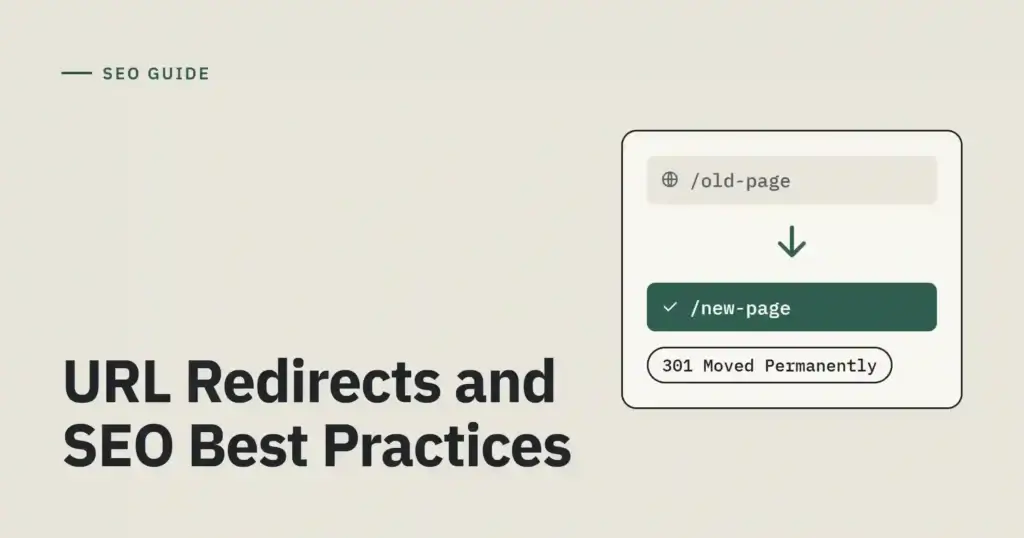
A free redirect service target url in path no query parameter can be part of a technical SEO workflow, but it should be configured carefully. A regular technical SEO site audit can help identify redirect errors and other website issues.
Use permanent redirects for permanent URL moves and temporary redirects when the change is temporary. Make sure the destination is relevant, accessible, and consistent with your internal links and canonical URL settings. Understanding Googlebot crawling and crawl budget can also help you manage how search engines discover important pages.
Avoid redirect chains and loops, and update internal links to point to the final URL when practical. For more guidance, review Google Search Central’s redirect documentation and its guide to canonical URLs.
Final Thoughts
A free redirect service target url in path no query parameter setup works best when you define the destination clearly, understand how the service handles query strings, and test the response before sharing the link.
A hosted provider may be suitable for simple projects, while PHP or Java can provide server-side control when you manage the application. JavaScript can support certain browser-side navigation tasks, but it is not a replacement for every HTTP redirect requirement.
Choose a relevant destination, use the right status code, protect against untrusted redirect targets, and review your rules regularly. These steps help keep URLs clean, improve visitor experience, and reduce avoidable redirect issues.
Where can I find a free redirect link?
You can find a free redirect link through an online URL redirect service. Choose a service that lets you enter your destination URL and create a redirect link. A free redirect service target url in path no query parameter can help keep destination URLs clean, depending on the service’s settings.
What does a 307 or 308 redirect mean?
A 307 redirect temporarily sends visitors to another URL while preserving the request method. A 308 redirect does the same permanently. Both preserve the original HTTP request method, unlike some other redirect types. When choosing a free redirect service target url in path no query parameter, check which redirect status codes the service supports.
How do I get a redirect URL?
To get a redirect URL, choose a URL redirect service, enter your destination URL, and create a redirect link. Test the link to make sure it opens the correct page. A free redirect service target url in path no query parameter may help create cleaner links when the service supports that configuration.